
Played around with Home Assistant custom UI, which they called Lovelace, and the Ecobee thermostat card looks like this
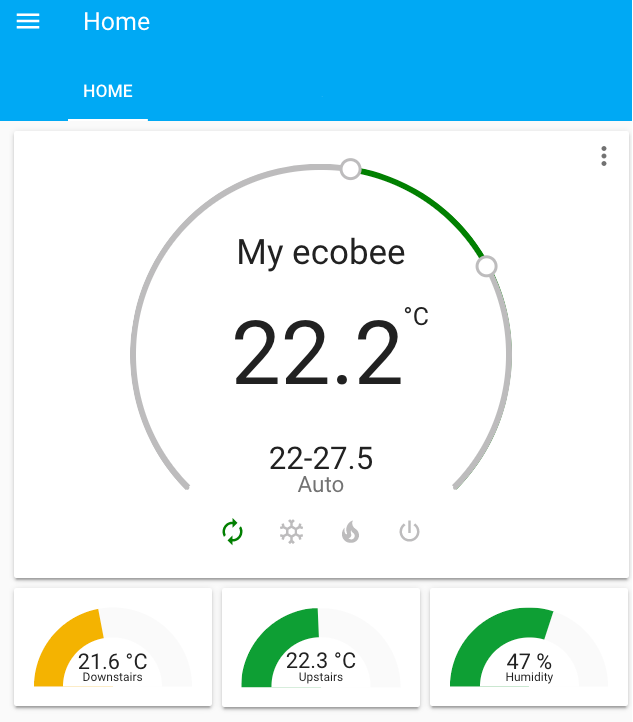
I have two Ecobee remote sensors which I placed one on the main floor and the other in the upstairs bedroom. Once the Ecobee was discovered by Home Assistant, the remote sensors were also added automatically. Using the Lovelace UI customization, I added these two temperature sensors along with the humidity sensor as gauges.
Lovelace card configuration:
cards:
  - entity: sensor.downstairs_temperature
    max: 30
    min: 15
    name: Downstairs
    severity:
      green: 22
      red: 27
      yellow: 15
    theme: Backend-selected
    type: gauge
  - entity: sensor.upstairs_temperature
    max: 30
    min: 15
    name: Upstairs
    severity:
      green: 22
      red: 29
      yellow: 15
    theme: Backend-selected
    type: gauge
  - entity: sensor.my_ecobee_humidity
    max: 65
    min: 20
    name: Humidity
    severity:
      green: 40
      red: 50
      yellow: 20
    type: gauge
type: horizontal-stack
 IoT for Smart Home